Access Control for Multi-Tenant NYC Office Buildings
KEY TAKEAWAYS
Multi-tenant office buildings need zone-based access control so each tenant reaches only their own floors and shared spaces while a single system governs the lobby, elevators, and common areas.
Tenant onboarding and offboarding is the highest-risk part of managing credentials in a shared building, and it should be handled as a defined lifecycle, not a one-off task.
Cloud-based platforms let a property manager grant, revoke, and audit credentials across multiple floors and even multiple buildings from one dashboard.
Every install is quoted after an on-site walk; a typical 4 to 12 door system runs about one to two weeks from inspection to activation, while 20+ door rollouts run three to six weeks.
A multi-tenant office building shares one front door but answers to many different tenants, and access control is the system that lets a single shared entry serve companies that have nothing to do with each other. In a New York City tower where an accounting firm, a design studio, and a medical practice all use the same lobby and the same elevator bank, the building's access control installation has to keep those tenants separate while making the shared paths work for everyone. That is a different problem than securing a single-occupant office, and most published guidance ignores it.
Streamline Telecom has worked across the NYC metro area since 2006, and we hold a New York State Security License for commercial security and access control work. This article covers the parts of multi-tenant access that trip up building owners and property managers: zoning, shared lobbies and elevators, tenant turnover, visitor credentials, and how cloud administration ties it together.
Why multi-tenant buildings need zone-based access control
Zone-based access control divides a building into permission areas so a credential opens only the doors that belong to its holder. In a multi-tenant building, that is the entire point. A tenant on the 8th floor should badge into the lobby, ride the elevator to 8, and enter their suite. They should not be able to open the 5th floor, the 12th floor, or another tenant's storage room.
Without zones, you are left with a blunt system: either a credential works everywhere or it works nowhere. Neither is acceptable when several unrelated businesses share a structure. Zones let one platform enforce dozens of separate access policies at once. The lobby is a shared zone open to all valid credentials during business hours. Each tenant floor is a private zone limited to that tenant's people. Shared amenities like a conference center, loading dock, or roof deck become their own zones with their own rules.
The zoning also matters for accountability. When something goes wrong, a board or an insurer wants to know who went where and when. A zoned system produces an audit trail per door, per credential, per timestamp. That record is far more useful when the zones are drawn to match how the building actually operates, which is a decision made during the site walk, not from a template.
Shared lobby and elevator integration considerations
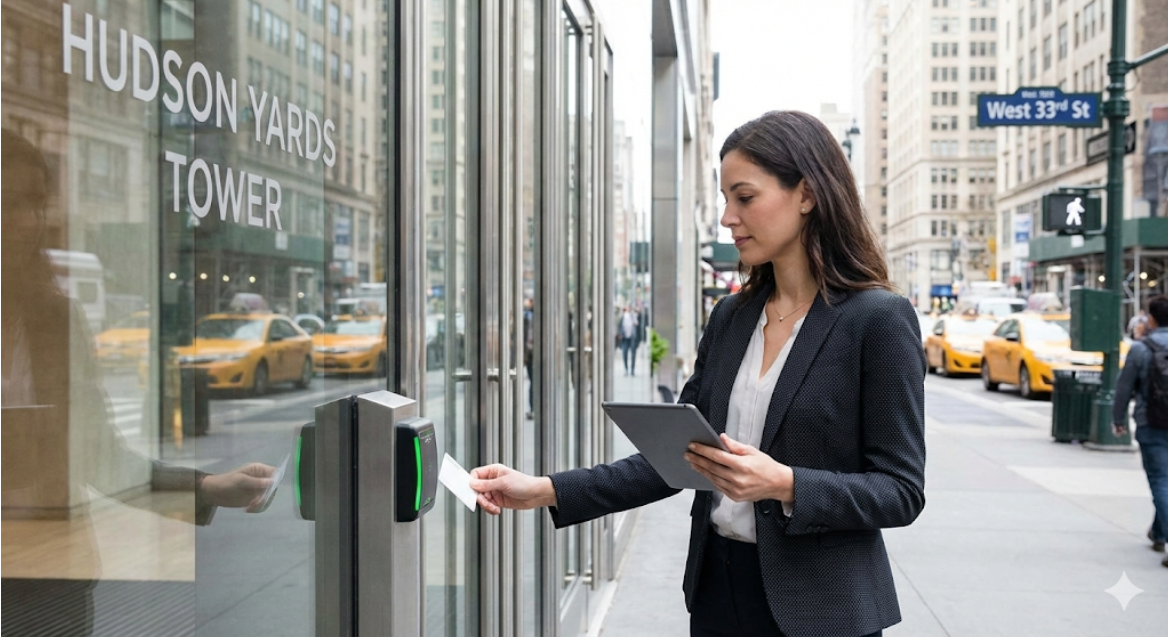
The shared lobby and elevator bank are where multi-tenant access gets complicated, because they are the one place every tenant touches. The lobby entry has to admit all valid tenants and their guests without letting the general public wander upstairs. The elevators then have to route each person to the floors they are allowed to reach.
Elevator integration is the piece owners underestimate most. Destination dispatch and cab-level access control tie a credential to specific floor buttons: badge in, and only your authorized floors light up. This requires coordination between the access control system and the elevator controller, and in an occupied building it has to be scheduled around tenant hours and building engineering. We plan that sequencing during the inspection so the elevator work does not strand a floor mid-day.
Turnstiles or optical speed gates in the lobby add a physical layer that pairs with the credential read. They stop tailgating, which is the most common way an unauthorized person gets past a shared entry. The right mix of readers, gates, and elevator control depends on lobby traffic volume, the number of tenants, and how visitors are managed. Our overview of commercial access control systems covers the hardware categories that come into play at a shared entry.
There is also the after-hours question. Most multi-tenant buildings run open lobby hours during the day and locked-down credential-only access at night and on weekends. The system has to switch modes on a schedule and still let a late-working tenant in without calling building staff. That scheduling logic is built into the platform and set to the building's real occupancy patterns.
Credential lifecycle: onboarding and offboarding tenants
The riskiest part of multi-tenant access control is not the hardware. It is what happens when a company moves in or moves out. Credential lifecycle means managing every badge, fob, or mobile credential from the moment it is issued to the moment it is revoked, and in a building with regular tenant turnover this never stops.
Onboarding a new tenant means issuing credentials to their staff, assigning them to the correct floor zone and shared zones, and setting their access schedule. Done well, a tenant's whole team is live on day one with access limited to exactly their space. Done poorly, you get credentials that open too much, or a scramble on move-in morning while employees wait in the lobby.
Offboarding is where buildings get burned. When a tenant vacates, every credential tied to that company has to be revoked immediately. A departed tenant's fob that still opens the lobby is a liability that sits quietly until it causes a problem. The same applies to individual turnover inside a tenant: an employee who leaves should lose access that day, not at the next audit. A cloud system makes this a single action, and it produces a record showing the credential was deactivated and when.
We recommend treating the credential lifecycle as a written procedure the property management team owns, with the access platform enforcing it. That means a defined step for issuing, a defined step for revoking, and a periodic review that reconciles active credentials against current tenant rosters. In a building with hundreds of active credentials across many tenants, that reconciliation is the difference between a system you can trust and a list nobody has checked in a year.
STREAMLINE FIELD NOTE
The single most common gap we find during a multi-tenant site walk is orphaned credentials: active fobs and badges belonging to former tenants or departed employees that were never revoked. Before adding any hardware, audit the existing credential list against the current tenant roster. In several buildings we have inspected, more than one in ten active credentials belonged to someone who no longer had any business in the building.
Visitor and temporary credential management
Visitor management is how a multi-tenant building handles the people who do not have permanent credentials: clients, contractors, interview candidates, and delivery personnel. In a shared building this has to work without a tenant having to escort every guest from the lobby, and without the front desk handing out a master fob that opens half the building.
Temporary credentials solve this. A visitor gets a credential that works for a limited window and only for the zones they need: the lobby, the specific elevator floor, and nothing else. When the window closes, the credential dies on its own. No one has to remember to collect a badge or deactivate it later.
For scheduled visitors, a tenant can pre-register a guest so the credential is ready when they arrive. For contractors working over several days, a credential can be scoped to a work zone and a date range, then expire automatically. This keeps trades out of tenant suites they have no reason to enter while still letting them do their job.
Deliveries and building services get their own handling. A loading dock or freight elevator zone with time-limited access keeps the flow of packages and vendors from becoming a hole in the building's security. The goal across all of these cases is the same: every person in the building at any moment holds a credential scoped to exactly what they should reach, and nothing more.
How cloud-based systems like Avigilon Alta simplify multi-site administration
Cloud-based access control puts the entire building, or an entire portfolio of buildings, on one dashboard a property manager can reach from anywhere. For a multi-tenant operator, this is what makes managing hundreds of credentials across many floors and tenants realistic instead of a full-time job of walking around with a laptop plugged into door controllers.
Streamline is an experienced integrator across Avigilon, including the Alta platform. A cloud system like Alta lets an administrator grant a new tenant their zone, revoke a departed employee's credential, issue a visitor pass, and pull an audit report from one interface. When an operator runs several buildings, the same login governs all of them, so a policy change or a lockdown can be applied across sites without visiting each one.
Mobile credentials are part of this. Staff carry their access on a phone instead of a physical fob, which cuts the cost and hassle of issuing and collecting plastic every time someone joins or leaves. Lost-phone revocation is instant. For a building with constant turnover, that alone removes a recurring headache.
The audit and reporting side matters to the people the property manager answers to. A board, an insurer, or a corporate tenant's security team can be given a clear record of access events without anyone digging through hardware logs. That reporting is only as good as the setup behind it, which is why we scope zones, schedules, and credential policies to the specific building during the inspection. For a step-by-step look at how a deployment actually runs, see our walkthrough of the access control installation process in NYC.
Cloud administration does not mean off-the-shelf simplicity for a complex building. The platform is the tool. The value is in how the zones, lifecycle procedures, and integrations are configured to match how your building runs, and in the support that keeps the system accurate as tenants come and go over the fifteen to twenty year life we build these systems to last.
Getting your multi-tenant access under control before turnover forces the issue
A multi-tenant building's access risk grows quietly with every tenant that moves out and every employee that leaves. The orphaned credentials, the lobby fob that still works, the contractor badge nobody collected: none of them cause a problem until one of them does, and by then it is an incident report instead of a maintenance item. Setting up proper zoning, a credential lifecycle procedure, and cloud administration now means the next tenant turnover is a two-minute task instead of a security gap.
Streamline scopes every multi-tenant system on the real building. We walk the lobby, the elevator bank, the floors, and the shared spaces, then quote based on those conditions rather than a generic package. A typical 4 to 12 door system runs about one to two weeks from site inspection to activation, and larger 20+ door rollouts run three to six weeks, and those are commitments built on what we find during the walk. To get a system scoped for your building's tenants and shared entries, contact Streamline Telecom to schedule a site inspection.
Frequently Asked Questions
How do you keep one tenant from accessing another tenant's floor in a shared building?
We use zone-based access control, which divides the building into permission areas so a credential opens only the doors that belong to its holder. A tenant on the 8th floor badges into the lobby, rides the elevator to 8, and enters their suite, but cannot open other floors or another tenant's storage. The lobby is a shared zone, each tenant floor is a private zone, and shared amenities like a conference center or loading dock get their own zones with their own rules. Every door, credential, and timestamp is logged, so you also get an audit trail per zone. We draw the zones to match how your building actually operates during the on-site walk, not from a template.
What happens to a tenant's credentials when they move out?
Every credential tied to a departing tenant should be revoked immediately, and a cloud-based system makes that a single action that produces a record showing what was deactivated and when. Offboarding is where multi-tenant buildings get burned: a former tenant's fob that still opens the lobby is a liability that sits quietly until it causes a problem. The same applies to individual employees inside a tenant who should lose access the day they leave. We recommend treating the credential lifecycle as a written procedure your management team owns, with the access platform enforcing it, plus a periodic review that reconciles active credentials against current tenant rosters. During our site walk we often find orphaned credentials belonging to former tenants or departed staff, and cleaning those up is part of getting the system right.
How long does it take to install access control in a multi-tenant office building, and will it disrupt tenants?
A typical 4 to 12 door system runs about one to two weeks from site inspection to activation, and larger 20+ door rollouts run three to six weeks. Those are commitments we make based on what we find during the walk, not generic estimates. In an occupied multi-tenant building, the work that needs the most planning is elevator integration, which ties credentials to specific floors. We schedule that around tenant hours and building engineering so a floor is not stranded mid-day. We sequence the lobby, elevator bank, and floor work to keep tenants moving while the system goes in.
Can we manage access across several floors or multiple buildings from one place?
Yes. A cloud-based platform like Avigilon Alta puts an entire building, or a portfolio of buildings, on one dashboard you can reach from anywhere. From a single interface a property manager can grant a new tenant their zone, revoke a departed employee's credential, issue a time-limited visitor pass, and pull an audit report. When you run several buildings, the same login governs all of them, so a policy change or lockdown applies across sites without visiting each one. Mobile credentials let staff carry access on a phone instead of a physical fob, and lost-phone revocation is instant. Streamline is an experienced integrator on Avigilon Alta, and we configure the zones, schedules, and credential policies to match how your specific building runs.
More Posts From Our Blog