Mobile Credentials vs. Key Cards: NYC Access Control Guide 2025
Understanding the Shift Toward Smarter, More Secure Access Control Solutions
If you run a business in New York City, you know that friction is the enemy. Every minute spent dealing with a lost key fob, a jammed door, or an employee waiting in the lobby is a minute not spent growing your company.
For decades, the plastic proximity card (or key fob) has been the standard for securing commercial buildings. It replaced the metal key, which was a massive leap forward. But we are now in 2025, and the technology landscape has shifted again. We carry powerful computers in our pockets that can pay for groceries, board airplanes, and now, unlock doors.
The question we hear most often from facility managers and business owners is simple: "Is it time to ditch the cards and go mobile?"
At Streamline Telecom, we have installed infrastructure for some of the most recognized institutions in the city – from Queens Hospital to high-end corporate offices. We have seen firsthand that while mobile credentials are rapidly gaining ground, the decision isn't always black and white.
This guide is designed to help you cut through the noise. We will compare traditional key cards against modern mobile credentials, analyzing the costs, security risks, and practical realities of each system so you can make the right choice for your facility.

The Reality of Legacy Key Cards and Fobs
Let’s start with what you likely already have. Most office buildings in the NYC metropolitan area utilize standard Access Control Systems based on 125 kHz proximity cards. These systems are familiar. You tap the card against the black box on the wall, it beeps, and the electric strike buzzes the door open.
The Case for Sticking with Cards
There is a reason these systems have survived this long.
- Familiarity: Everyone knows how to use a key card. There is zero learning curve for new employees.
- Battery Independence: A plastic card never runs out of power. If an employee’s phone dies, they can still get into the building with a card.
- Perceived Simplicity: For visitors or temporary contractors, handing over a physical badge can sometimes feel faster than asking them to download an app.
The Hidden Risks of Plastic
However, the simplicity of legacy cards comes with significant baggage that many business owners overlook until it becomes a problem.
1. The "Clone" Risk
The standard proximity cards used by thousands of businesses are incredibly insecure. The technology behind them has not changed much since the 1990s. Today, anyone can purchase a card cloner online for under $30. An unauthorized person can stand next to your employee in a crowded elevator or coffee shop, clone the signal from the card in their pocket, and create a duplicate in seconds.
2. The Management Headache
Managing physical inventory is a hidden operational cost. You have to buy the cards, print them, distribute them, and – most frustratingly – replace them when they are lost. If an employee leaves the company and takes their card with them, you have to hope your administrator remembers to deactivate it in the system immediately.
3. The Cost of Replacement
While a single card is cheap, the aggregate cost of replacing lost cards adds up. Furthermore, the administrative time spent issuing new cards is time your staff isn't spending on their actual jobs.
The Rise of Mobile Credentials
Mobile credentials utilize the smartphone your employee is already carrying. Using Bluetooth Low Energy (BLE) or Near Field Communication (NFC), the phone communicates with the reader to grant access.
Why NYC Businesses Are Making the Switch
The shift to mobile is driven by convenience and security.
1. Superior Security (Encryption)
Unlike the static signal of a legacy key card, mobile credentials typically use advanced encryption standards. Systems like Avigilon Alta vs Unity Access Control NYC use banking-grade encryption that changes with every transaction. This makes cloning a mobile signal virtually impossible compared to a 125 kHz card.
2. Remote Management
This is the biggest win for administrators. If you hire a freelancer for a week-long project, you can email them a mobile credential that activates Monday at 9:00 AM and expires Friday at 5:00 PM. You do not need to meet them in the lobby to hand off a fob. If an employee is terminated, you can revoke their access instantly from the cloud, regardless of where their phone is.
3. The "Touchless" Experience
In a post-pandemic world, minimizing contact with shared surfaces is a priority. Advanced mobile systems allow for "Wave to Unlock" features. You don't even need to take your phone out of your pocket. The reader detects the authorized phone via Bluetooth, and you simply wave your hand in front of the reader to trigger the lock.

Cost Comparison: Plastic vs. Digital
When you look at the price tag of an Access Control Installation, you have to look at Total Cost of Ownership (TCO), not just the initial hardware.
Hardware Costs
Mobile-ready readers are generally slightly more expensive upfront than basic proximity readers. They contain more advanced antennas and processors to handle Bluetooth and NFC signals.
Recurring Costs vs. One-Time Costs
Cards: You pay for the cards essentially forever. Every time you hire someone or someone loses a card, you buy more plastic.
Mobile: Most mobile access control providers charge a subscription fee for the software service (SaaS). However, the cost of issuing a "digital key" is usually included or very low.
The Verdict: For very small businesses with low turnover, plastic might still be cheaper month-to-month. But for mid-sized to large companies, or businesses with high turnover (like gyms, coworking spaces, or retail), mobile credentials often save money by eliminating the administrative burden and the constant purchase of plastic media. Check out our detailed Access Control Cost NYC guide for a deeper dive into these numbers.
Hybrid Systems: You Don’t Have to Choose Just One
Here is the practical reality that many integrators won't tell you: You don't have to go 100% mobile.
Most modern readers we install, such as those from Avigilon or Bosch, are "multi-technology" readers. They can accept a mobile signal from a smartphone and a scan from an encrypted smart card or key fob.
This hybrid approach is often the best solution for NYC businesses. You can issue mobile credentials to your daily staff who love the convenience, while keeping a stash of physical cards for:
- Temporary visitors who don't want to download an app.
- Cleaning crews or contractors.
- Employees who simply prefer not to use their personal phones.
This flexibility ensures that you are never locked out due to a dead phone battery, but you still gain the security and management benefits of a digital-first system.
The "Integrity Gap" in Installation
Regardless of whether you choose mobile, card, or hybrid, the reliability of the system depends heavily on the installation.
In the NYC market, we see a lot of "trunk slammers" – contractors who undercut prices by using non-plenum rated cable in ceiling spaces, failing to secure connections, or leaving a mess of wires in the IT closet.
At Streamline Telecom, we operate differently. We are BICSI-certified professionals. This means we adhere to a global standard of information technology systems design. When we install Network Cabling Services for security, we treat the cabling with the same respect as the visible hardware.
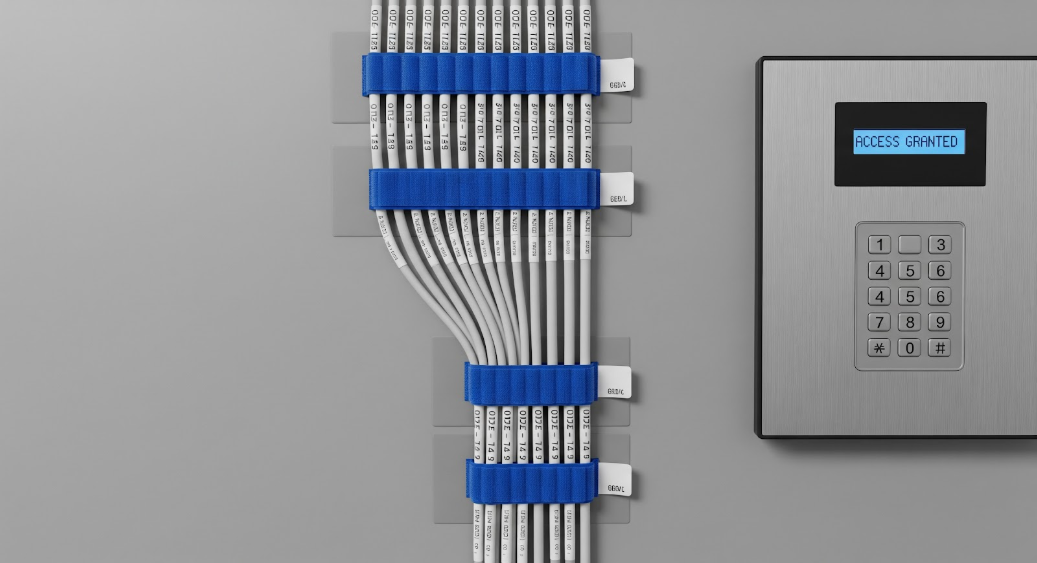
We label every wire. We Velcro and organize the panels. We vacuum the dust from the drilling. Why? Because a clean system is a reliable system. When a system is organized, troubleshooting takes minutes, not hours. It reflects our core belief: we want our work to look like it belongs on the cover of a trade magazine.
Summary: Pros and Cons at a Glance
For the skimmers, here is the breakdown of the two technologies.
Traditional Key Cards / Fobs
Pros:
- No battery required.
- Simple for visitors.
- Low cost per individual unit.
Cons:
- High risk of cloning (especially older 125kHz).
- Easily lost or forgotten.
- Requires physical distribution and collection.
- No "remote unlock" capability.
Mobile Credentials
Pros:
- High security (Banking-grade encryption).
- Instant remote issuance and revocation.
- Convenient (users always have their phone).
- Touchless capabilities.
- Higher integrity audit trails.
Cons:
- Dependent on phone battery (though hybrid readers solve this).
- Requires users to install an app.
Expert Insight
"The importance of these systems and the technical nature of their design, installation, and maintenance requires the expertise of a specialized contractor. Working with one can save your business significant amounts of time, money, and frustration – but only if you choose the right contractor."
Making the Decision
So, what are NYC businesses switching to in 2025? The trend is overwhelmingly moving toward mobile-first, hybrid-capable systems.
Business owners are realizing that the smartphone is the most secure identity token their employees possess. It is biometric-protected (FaceID/TouchID), password-protected, and rarely shared with others. Compare that to a plastic card that is easily passed around or lost, and the security choice is clear.
However, the transition doesn't have to be abrupt. We often recommend clients start by Access Control Upgrade NYC their readers to modern, multi-tech hardware. This allows you to continue using your existing cards while slowly rolling out mobile credentials to staff who want them.
If you are considering an upgrade or a new build-out, do not let your security be an afterthought. Your security cameras and access control are the immune system of your business. They need to be healthy, modern, and installed with integrity.
Would you like a free assessment of your current access control risks?
We can walk your site, check your current readers for cloning vulnerabilities, and give you a straightforward, no-fluff plan for bringing your facility into the modern era. We show up when we say we will, and we get it done right the first time.
Contact Streamline Telecom today to secure your business for the future.
More Posts From Our Blog